Workflows
How to move a Google Drive folder when a monday.com item changes groups
After setting up group folders with DriveSync, add a move automation for each destination group to move item folders when work changes stage.
%0A%0A%23%23%20When%20to%20use%20this%20template%0A%0AMove%20project%20folders%20into%20the%20destination%20group%E2%80%99s%20folder%20when%20work%20changes%20stage.%0A%0A%7C%20Trigger%20%7C%20Action%20%7C%0A%0A%7C%20---%20%7C%20---%20%7C%0A%0A%7C%20When%20an%20item%20is%20moved%20to%20a%20group%20%7C%20Move%20its%20Google%20Drive%20folder%20to%20the%20group%20folder.%20%7C%0A%0A%23%23%20Configure%20the%20template%0A%0A1.%20Open%20your%20board%E2%80%99s%20Integrate%20area%20and%20find%20DriveSync.%0A%0A2.%20Select%20the%20template%20matching%20this%20trigger%20and%20action.%0A%0A3.%20Connect%20your%20accounts%20if%20prompted%2C%20then%20configure%20the%20fields%20below.%0A%0A4.%20Save%20the%20automation%20to%20your%20board.%0A%0A%7C%20Field%20%7C%20Configuration%20%7C%0A%0A%7C%20---%20%7C%20---%20%7C%0A%0A%7C%20Prerequisite%20%7C%20Establish%20the%20group%20structure%20with%20DriveSync%E2%80%99s%20groupwise%20creation%20automation.%20Configure%20a%20move%20automation%20for%20each%20intended%20destination%20group.%20%7C%0A%0A%7C%20Group%20%7C%20Choose%20the%20target%20group%20in%20the%20automation.%20%7C%0A%0A%7C%20Google%20Drive%20Folder%20%7C%20Choose%20the%20column%20containing%20the%20item%E2%80%99s%20existing%20folder%20link.%20%7C%0A%0A%23%23%20Run%20a%20first%20test%0A%0AMove%20a%20test%20item%20to%20the%20configured%20group%20and%20inspect%20the%20folder%E2%80%99s%20new%20location.%0A%0A%3E%20Use%20a%20sample%20item%20and%20verify%20the%20result%20in%20Drive%20before%20applying%20the%20workflow%20across%20your%20board.%20Avoid%20overlapping%20automations%20that%20could%20start%20the%20same%20folder-creation%20action.%0A%0A%23%23%20Explore%20related%20workflows%0A%0A%5BAll%20automation%20templates%5D(https%3A%2F%2Fdrivesync.baruzotech.com%2Fdocs%2Ftemplates%2F)%0A%0A%5BBuild%20a%20custom%20automation%5D(https%3A%2F%2Fdrivesync.baruzotech.com%2Fdocs%2Fcustom-automations%2F)%0A%0A%23%23%20Common%20questions%0A%0A%23%23%23%20Will%20an%20existing%20Drive%20folder%20with%20the%20same%20name%20as%20my%20monday.com%20group%20work%3F%0A%0AMatching%20names%20alone%20does%20not%20establish%20the%20connection.%20First%20create%20the%20group%20structure%20with%20DriveSync%E2%80%99s%20group-based%20automation%2C%20then%20configure%20a%20move%20automation%20for%20each%20intended%20destination%20group.%0A%0ASupport%3A%20drivesync%40baruzotech.com) Ask ChatGPT
Ask ChatGPT%0A%0A%23%23%20When%20to%20use%20this%20template%0A%0AMove%20project%20folders%20into%20the%20destination%20group%E2%80%99s%20folder%20when%20work%20changes%20stage.%0A%0A%7C%20Trigger%20%7C%20Action%20%7C%0A%0A%7C%20---%20%7C%20---%20%7C%0A%0A%7C%20When%20an%20item%20is%20moved%20to%20a%20group%20%7C%20Move%20its%20Google%20Drive%20folder%20to%20the%20group%20folder.%20%7C%0A%0A%23%23%20Configure%20the%20template%0A%0A1.%20Open%20your%20board%E2%80%99s%20Integrate%20area%20and%20find%20DriveSync.%0A%0A2.%20Select%20the%20template%20matching%20this%20trigger%20and%20action.%0A%0A3.%20Connect%20your%20accounts%20if%20prompted%2C%20then%20configure%20the%20fields%20below.%0A%0A4.%20Save%20the%20automation%20to%20your%20board.%0A%0A%7C%20Field%20%7C%20Configuration%20%7C%0A%0A%7C%20---%20%7C%20---%20%7C%0A%0A%7C%20Prerequisite%20%7C%20Establish%20the%20group%20structure%20with%20DriveSync%E2%80%99s%20groupwise%20creation%20automation.%20Configure%20a%20move%20automation%20for%20each%20intended%20destination%20group.%20%7C%0A%0A%7C%20Group%20%7C%20Choose%20the%20target%20group%20in%20the%20automation.%20%7C%0A%0A%7C%20Google%20Drive%20Folder%20%7C%20Choose%20the%20column%20containing%20the%20item%E2%80%99s%20existing%20folder%20link.%20%7C%0A%0A%23%23%20Run%20a%20first%20test%0A%0AMove%20a%20test%20item%20to%20the%20configured%20group%20and%20inspect%20the%20folder%E2%80%99s%20new%20location.%0A%0A%3E%20Use%20a%20sample%20item%20and%20verify%20the%20result%20in%20Drive%20before%20applying%20the%20workflow%20across%20your%20board.%20Avoid%20overlapping%20automations%20that%20could%20start%20the%20same%20folder-creation%20action.%0A%0A%23%23%20Explore%20related%20workflows%0A%0A%5BAll%20automation%20templates%5D(https%3A%2F%2Fdrivesync.baruzotech.com%2Fdocs%2Ftemplates%2F)%0A%0A%5BBuild%20a%20custom%20automation%5D(https%3A%2F%2Fdrivesync.baruzotech.com%2Fdocs%2Fcustom-automations%2F)%0A%0A%23%23%20Common%20questions%0A%0A%23%23%23%20Will%20an%20existing%20Drive%20folder%20with%20the%20same%20name%20as%20my%20monday.com%20group%20work%3F%0A%0AMatching%20names%20alone%20does%20not%20establish%20the%20connection.%20First%20create%20the%20group%20structure%20with%20DriveSync%E2%80%99s%20group-based%20automation%2C%20then%20configure%20a%20move%20automation%20for%20each%20intended%20destination%20group.%0A%0ASupport%3A%20drivesync%40baruzotech.com) Ask Claude
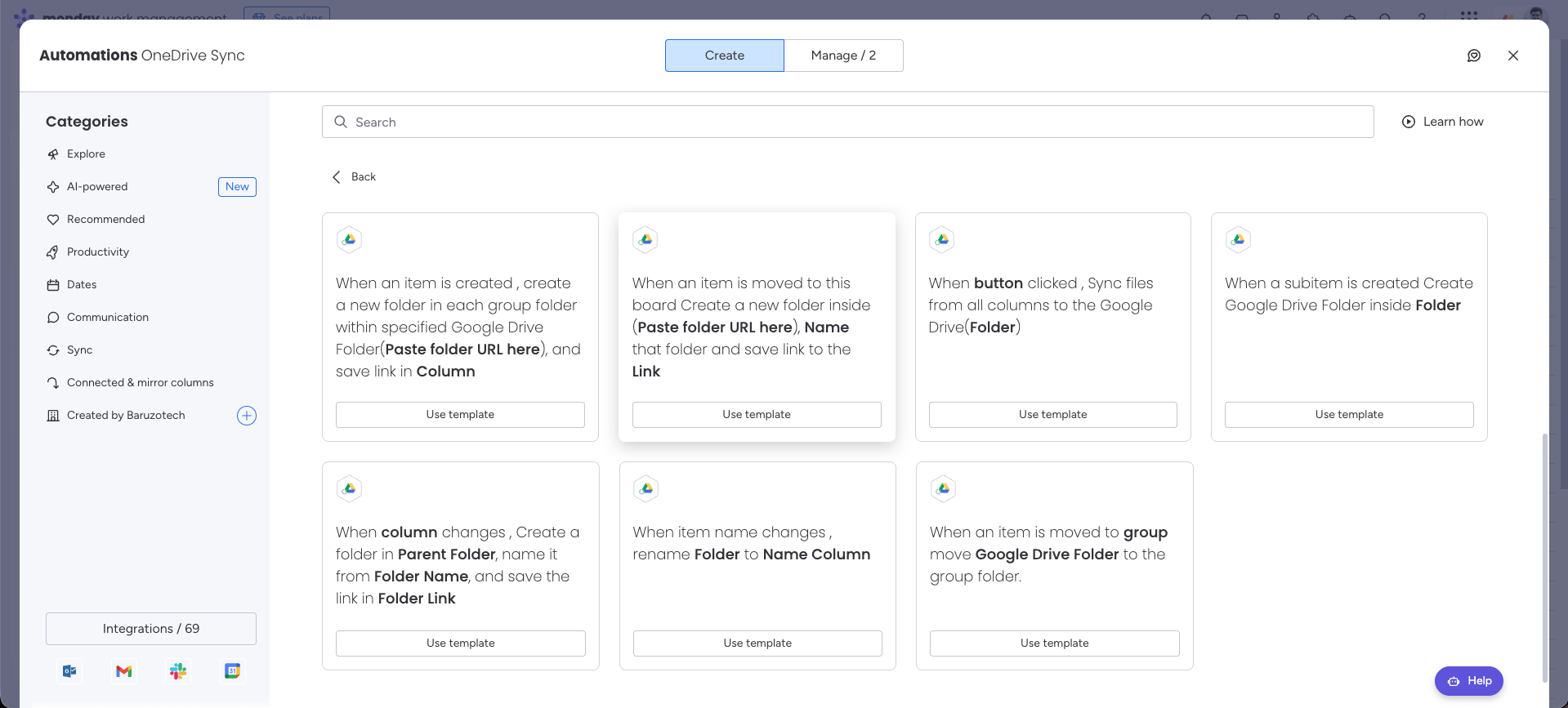
Ask ClaudeAutomation preview#
When to use this template#
Move project folders into the destination group’s folder when work changes stage.
| Trigger | Action |
|---|---|
| When an item is moved to a group | Move its Google Drive folder to the group folder. |
Configure the template#
- 1
Open your board’s Integrate area and find DriveSync.
- 2
Select the template matching this trigger and action.
- 3
Connect your accounts if prompted, then configure the fields below.
- 4
Save the automation to your board.
| Field | Configuration |
|---|---|
| Prerequisite | Establish the group structure with DriveSync’s groupwise creation automation. Configure a move automation for each intended destination group. |
| Group | Choose the target group in the automation. |
| Google Drive Folder | Choose the column containing the item’s existing folder link. |
Run a first test#
Move a test item to the configured group and inspect the folder’s new location.
Common questions
Will an existing Drive folder with the same name as my monday.com group work?
Matching names alone does not establish the connection. First create the group structure with DriveSync’s group-based automation, then configure a move automation for each intended destination group.
Need a hand with your setup?Contact support